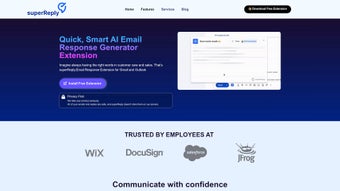

Download SuperReply – AI Email Response Generator for Gmail & Outlook
Overview
In today’s fast‑paced work environment, email remains the backbone of professional communication, yet drafting thoughtful replies can eat up valuable time. SuperReply steps in as an AI‑driven email response generator built specifically for Gmail and Outlook users. By analyzing the context of incoming messages, SuperReply offers tailored reply suggestions that match the desired tone—whether you need a formal business response, a friendly catch‑up, or a concise acknowledgment.
The web‑app works as a lightweight Chrome extension, seamlessly integrating into the native email interface without the need for a separate client. Users enjoy a generous free tier that covers up to 75 emails per month, while a subscription unlocks unlimited suggestions, premium tone controls, and priority support. Security is a core pillar: SuperReply never stores raw email content on its servers and relies on end‑to‑end encryption to protect data in transit.
This combination of productivity, ease of use, and privacy makes SuperReply a compelling tool for anyone looking to reduce the mental load of email management while preserving the personal touch that effective communication demands.
Key Features That Transform Your Inbox
- AI‑Powered Draft Suggestions: Generates complete reply drafts in seconds, adapting to the context and tone of the original message.
- Tone Customization: Choose from formal, casual, friendly, or concise modes to match the relationship with the recipient.
- One‑Click Insertion: Insert the suggested response directly into Gmail or Outlook with a single click, eliminating copy‑paste steps.
- Free Tier for Light Users: Up to 75 AI‑generated replies per month at no cost, ideal for freelancers or occasional email users.
- Unlimited Subscription Plan: Access unlimited suggestions, advanced tone controls, and priority technical support.
- Privacy‑First Architecture: No email content is stored on SuperReply’s servers; all processing occurs in memory with industry‑standard TLS encryption.
- Chrome Extension Simplicity: Install in seconds, no additional software required, and works alongside existing Gmail/Outlook extensions.
- Contextual Learning: The AI learns from your previous interactions to refine future suggestions, making the tool smarter over time.
- Multi‑Language Support: Handles English, Spanish, French, and German out of the box, with plans for further expansion.
- Quick Settings Panel: Adjust response length, tone, and personalization preferences without leaving your inbox.
The feature set of SuperReply is intentionally focused on the most common pain points of email users. By automating the drafting process while preserving the ability to edit and personalize, the tool strikes a balance between speed and authenticity. The tone customization ensures that the AI does not produce generic, robotic replies; instead, each suggestion respects the nuances of professional etiquette or casual banter as required.
Moreover, the privacy‑first approach addresses a major concern for businesses that handle sensitive information. Because SuperReply never archives raw email data, organizations can adopt the tool without risking compliance breaches. The free tier encourages trial without commitment, while the premium plan offers scalability for power users and teams that rely heavily on email for client communication, sales outreach, or internal coordination.
Installation, Usage Instructions, and Compatibility
Getting SuperReply up and running is designed to be as frictionless as possible. Follow these steps to start benefiting from AI‑assisted replies within minutes:
- Visit the Chrome Web Store: Search for “SuperReply – AI Email Response Generator” and click “Add to Chrome.” The extension is lightweight (under 2 MB) and requires no additional permissions beyond access to Gmail or Outlook pages.
- Sign In with Your Email Account: After installation, a pop‑up prompts you to sign in using your Google or Microsoft credentials. This step links the extension to your inbox securely via OAuth, ensuring that SuperReply never sees your password.
- Configure Preferences: In the extension’s toolbar icon, select “Settings.” Here you can set your default tone, maximum response length, and toggle the free versus premium mode.
- Open an Email Thread: When you receive a new message, a “SuperReply” button appears next to the reply box. Click it to generate suggestions.
- Select & Insert: Review the AI‑generated options, choose the one that fits best, and click “Insert.” The text is placed directly into the reply field, ready for any final tweaks.
Compatibility: SuperReply is built as a Chrome extension, meaning it works on any operating system that supports the Chrome browser, including Windows 10/11, macOS, Linux, and Chrome OS. For users on mobile devices, the extension functions within Chrome for Android and iOS when accessing Gmail or Outlook Web Access (OWA) via the browser. Native desktop clients (e.g., Outlook for Windows or Mac) are supported when they are launched through the browser interface; however, the extension does not integrate directly with Outlook’s standalone desktop application. Users who prefer Firefox or Edge can still benefit by installing the Chrome‑compatible extension via the “Add to Edge” or “Add to Firefox (via Chrome Store)” options, as both browsers now support Chrome extensions.
Updating SuperReply is automatic; the Chrome Web Store pushes new releases in the background, ensuring you always have the latest AI models and security patches. If you encounter any issues, the “Help” section within the extension provides troubleshooting tips, a link to the knowledge base, and a direct contact form for support. Because the tool runs locally in the browser, it consumes minimal CPU and memory, preserving the performance of your primary email workflow.
Conclusion, Pros & Cons, and Frequently Asked Questions
SuperReply delivers a compelling blend of AI convenience, privacy assurance, and seamless integration for Gmail and Outlook users. By turning repetitive drafting into a single click, it frees up mental bandwidth for higher‑value tasks such as strategy, client interaction, or creative work. The free tier offers enough usage for occasional professionals, while the subscription model scales gracefully for power users and teams that handle large volumes of email daily. Its commitment to never storing email content sets a high bar for data security in the AI‑assistant space. If you’re looking to accelerate your inbox management without sacrificing tone or privacy, SuperReply is a solid investment.
Pros
- Fast, context‑aware reply generation saves time.
- Customizable tones keep communications authentic.
- Free tier sufficient for light users; unlimited premium available.
- Privacy‑first architecture with no email storage.
- Easy Chrome extension installation; works across Windows, macOS, Linux, and mobile browsers.
- Continuous updates keep AI models current.
Cons
- Does not integrate directly with the standalone Outlook desktop client.
- Limited to Chrome‑based browsers; Safari users need a workaround.
- AI suggestions may occasionally require manual polishing for very niche topics.
- Premium subscription required for unlimited usage.
Frequently Asked Questions
Is SuperReply really free for 75 emails per month?
Yes. The free plan allows up to 75 AI‑generated replies each calendar month. Once you exceed that limit, the tool will prompt you to upgrade to the unlimited plan.
How does SuperReply protect my email privacy?
SuperReply processes email content only in memory and never writes it to disk or stores it on its servers. All data transmission uses TLS 1.3 encryption, and OAuth is used for authentication, meaning your credentials are never exposed.
Can I use SuperReply with the Outlook desktop app?
Direct integration with the standalone Outlook desktop client is not currently supported. However, you can access Outlook Web Access (OWA) through Chrome, where the extension works identically.
What languages does SuperReply support?
Out of the box, SuperReply supports English, Spanish, French, and German. Additional languages are planned for future updates based on user demand.
How often does SuperReply receive updates?
Updates are pushed automatically through the Chrome Web Store, typically on a monthly basis for AI model improvements and security patches.
Ready to experience a faster, smarter inbox? Download SuperReply now and start crafting polished replies in seconds. Whether you’re a solo entrepreneur or part of a busy corporate team, SuperReply’s AI assistance can help you stay on top of your email game while keeping your data safe.



.png)



